AudioGate
Record
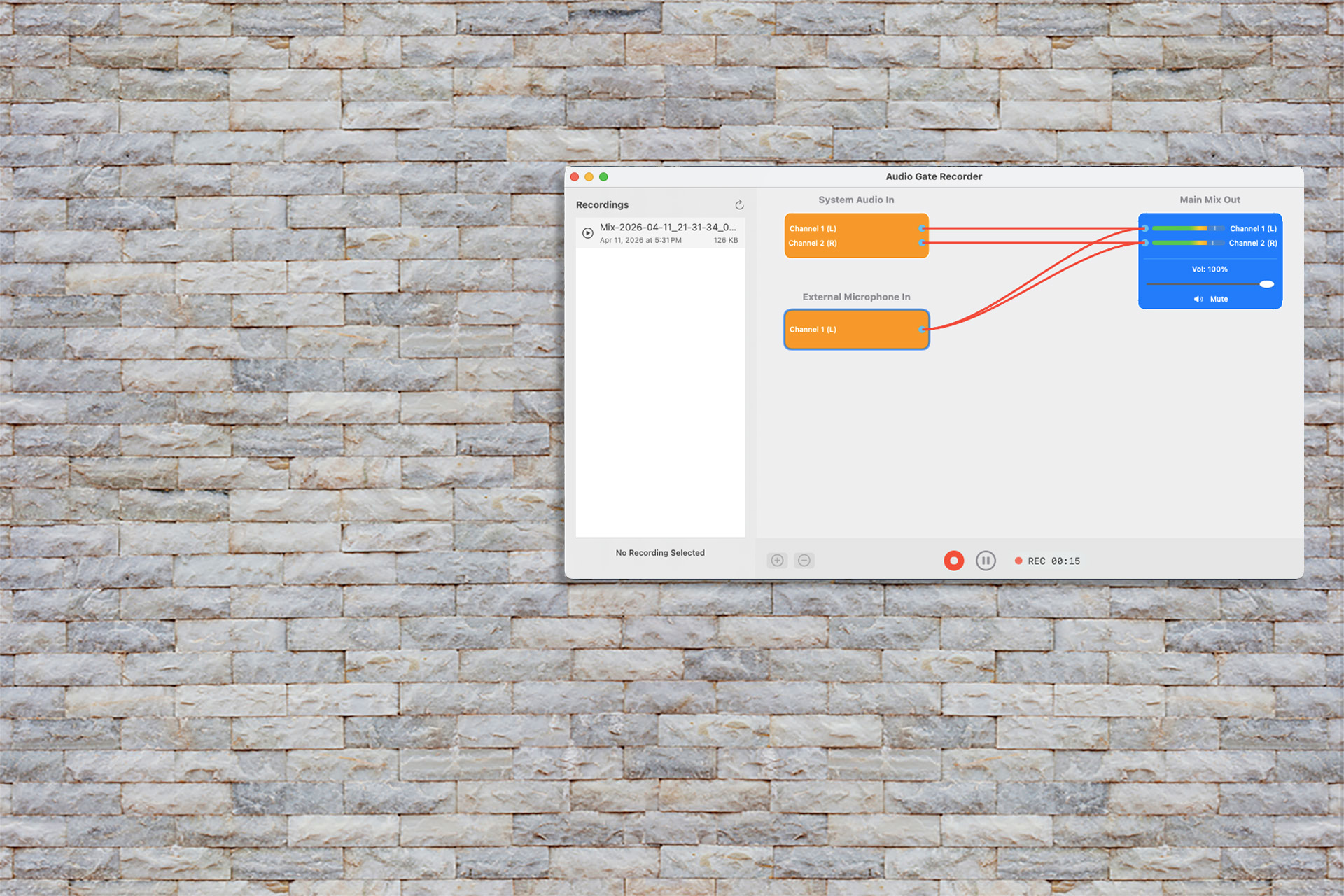
Mix audio from multiple sources
Download for free (When AudioGate is used in Free Mode, some limitations apply.)
Available at...
Audio recording made easier on your Mac
Capture, route, record, and manage Mac audio in one visual workspace.
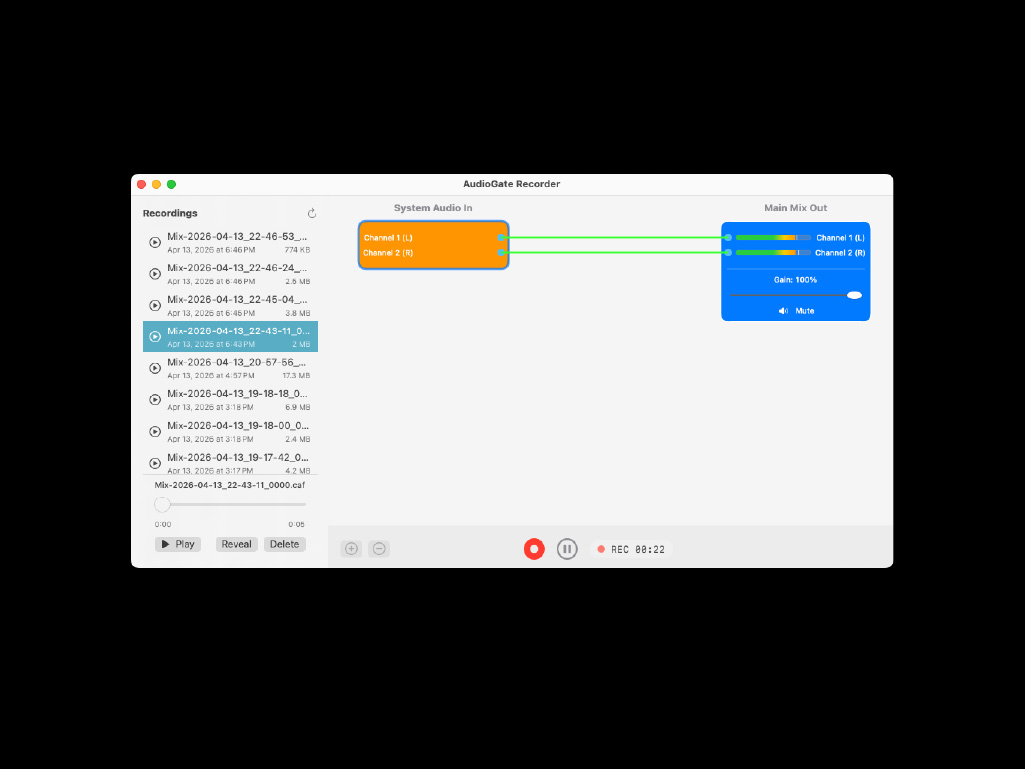
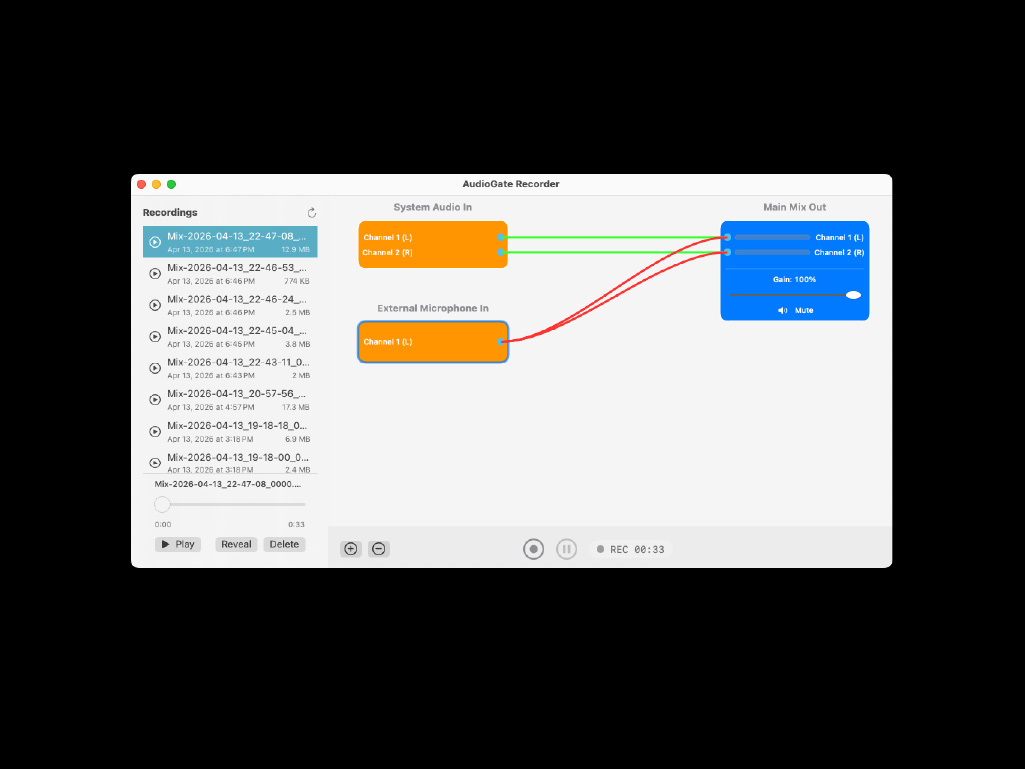
- Capture system audio, microphones, input devices, and app-based sources.
- Add sources as visual nodes that automatically route into the main mix.
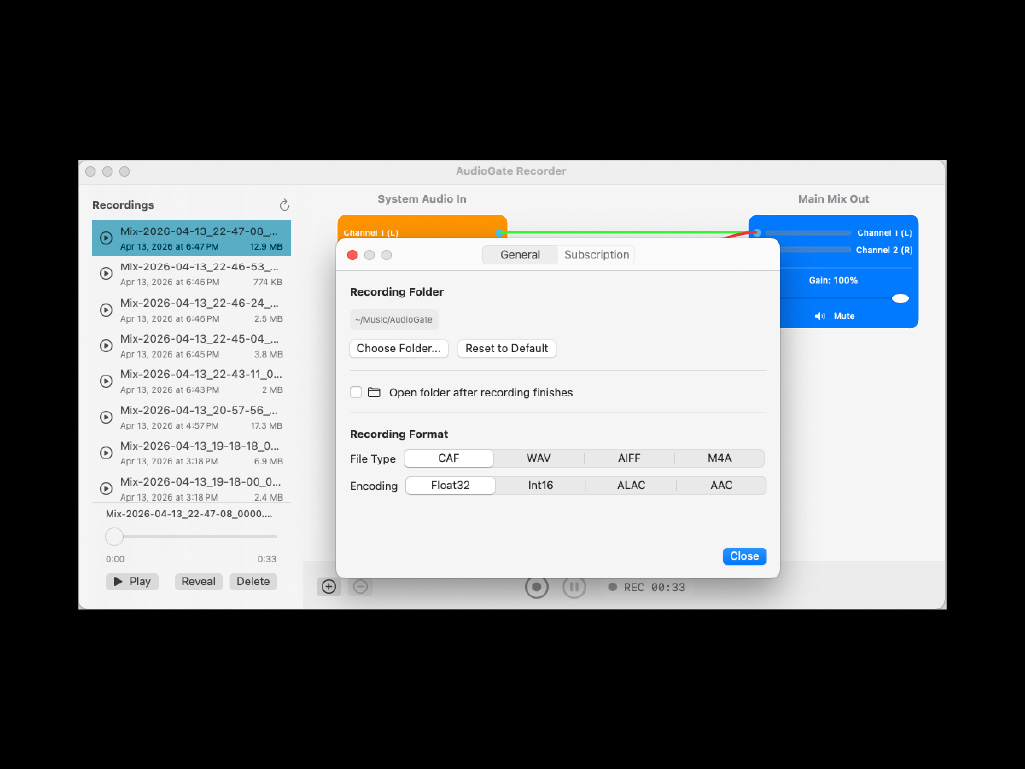
- Review, play, reveal, refresh, or delete recordings from the sidebar.
- Choose CAF, WAV, AIFF, M4A, Float32, Int16, ALAC, or AAC.
- Start, pause, resume, and monitor recording time from the toolbar.
- Adjust gain, mute sources, and control the main mix before recording.
Features and System Requirements
Mac Os
- Any audio producing app can be used including browsers (Except Some Chromium Apps).
- Supports Loopback Virtual Audio devices.
- macOS 15.0 or higher.
- Minimum 2 GB memory recommended.
- Works with Intel, Apple Slicon processors.
Contact
For your questions or concerns, please contact us via Email.